
 Sugarcoat
Components
Stop writing boilerplate. Start writing core logic.
In Sugarcoat, a Component is the fundamental unit of execution. It replaces the standard ROS2 Node with a robust, Lifecycle-Managed, and Self-Healing entity designed for production-grade autonomy.
While a standard ROS2 node requires you to manually handle parameter callbacks, error catching, and state transitions, a Sugarcoat Component handles this plumbing automatically, letting you focus entirely on your algorithm.
Why build with Sugarcoat’s Component?
Sugarcoat Components come with “superpowers” out of the box.
Lifecycle Native - Every component is a Managed Lifecycle Node. It supports
Configure,Activate,Deactivate, andShutdownstates automatically, ensuring deterministic startup and shutdown.Self-Healing - Components have a built-in “Immune System.” If an algorithm fails or a driver disconnects, the component can trigger Fallbacks to restart or reconfigure itself without crashing the stack.
Health Aware - Components actively report their Health Status (Healthy, Algorithm Failure, etc.) to the system, enabling system-wide reflexes and alerts.
Type-Safe Config - Component configurations are validated using
attrsmodels, catching type errors before runtime, and allowing easy Pythonic configuration in your recipe.Auto-Wiring - Inputs and Outputs are declarative. Define a
Topicas an input or output to your component, and Sugarcoat automatically handles the subscription, serialization, and callback plumbing for you.Event-Driven - Components are reactive by design. They can be configured to execute their main logic only when triggered by an Event or a Service call, rather than running in a continuous loop.
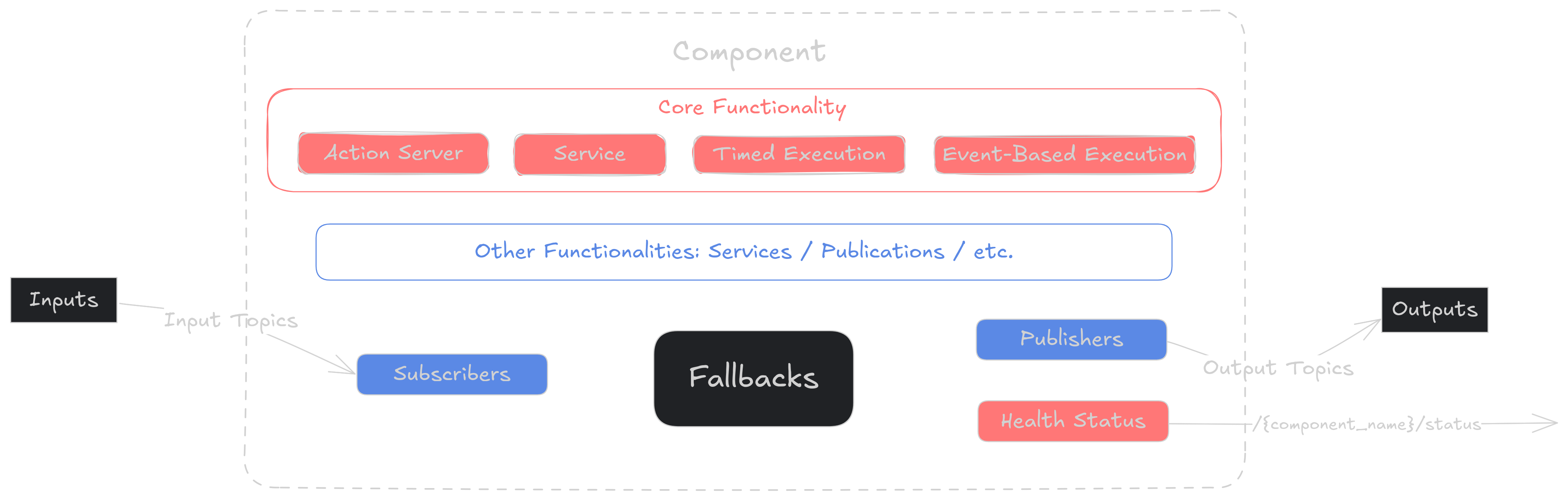
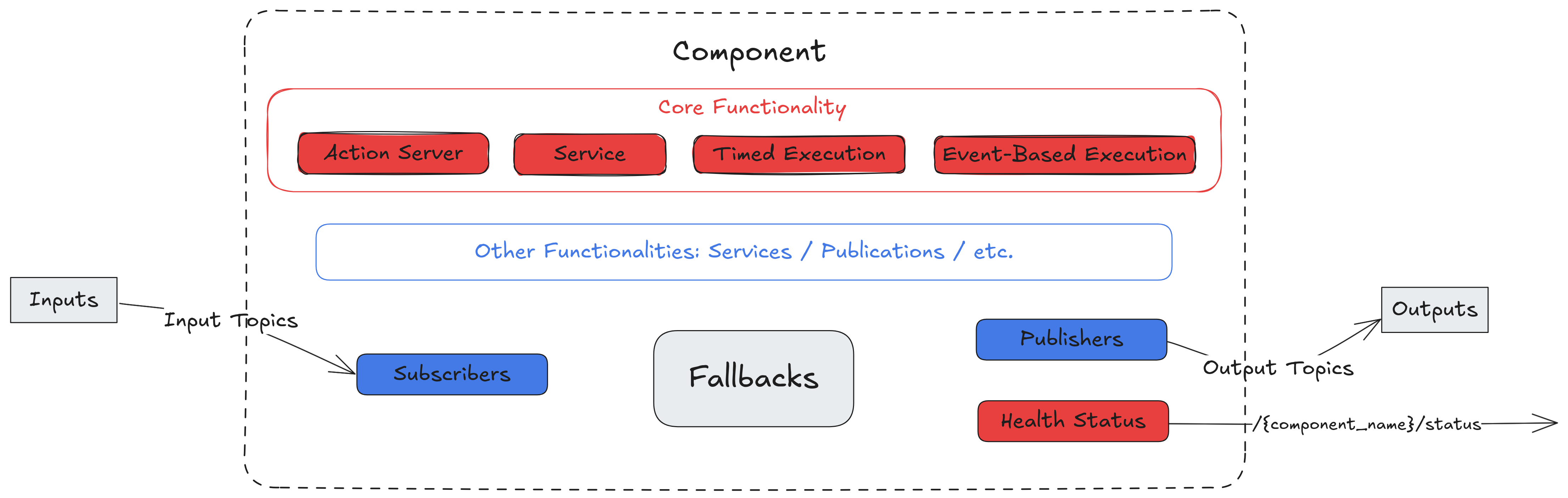
Component Architecture
Execution Modes (Run Types)
A Component isn’t just a while(True) loop. You can configure how its main functionality executes using the run_type property.
Run Type |
Description |
Best For… |
|---|---|---|
Timed |
Executes the main step in a fixed-frequency loop (e.g., 10Hz). |
Controllers, Planners, Drivers |
Event |
Dormant until triggered by a specific Topic or Event. |
Image Processors, Detectors |
Server |
Dormant until a ROS2 Service Request is received. |
Calibration Nodes, Compute Servers |
ActionServer |
Dormant until a ROS2 Action Goal is received. |
Long-running tasks (Navigation, Arms) |
Configuration Example:
from ros_sugar.config import ComponentRunType
from ros_sugar.core import BaseComponent

# Can set from Component
comp = BaseComponent(component_name='test')
comp.run_type = "Server"    # or ComponentRunType.SERVER
Tip
All the functionalities implemented in ROS2 nodes can be found in the Component.
Declarative Inputs & Outputs
Wiring up data streams shouldn’t be tedious. Sugarcoat allows you to define inputs and outputs declaratively.
When the component launches, it automatically creates the necessary publishers, subscribers, and type converters based on your definitions.
from ros_sugar.core import BaseComponent
from ros_sugar.io import Topic

# 1. Define your interface
map_topic   = Topic(name="map", msg_type="OccupancyGrid")
voice_topic = Topic(name="voice_cmd", msg_type="Audio")
image_topic = Topic(name="camera/rgb", msg_type="Image")

# 2. Auto-wire the component
# Sugarcoat handles the QoS, callback groups, and serialization automatically
comp = BaseComponent(
    component_name='audio_processor',
    inputs=[map_topic, image_topic],
    outputs=[voice_topic]
)
Tip
Sugarcoat provides built-in “Converters” for common ROS2 types (Images, Pose, etc.), so you can work with native Python objects instead of raw ROS2 messages. See Supported Types.
See also
Check the full configuration options of Topics here
The Component Immune System: Health & Fallbacks
A robust robot doesn’t just crash when an error occurs; it degrades gracefully.
1. Health Status
Instead of printing a log message and dying, a Component reports its Health Status. This status is both:
Internal: Used immediately by the component to trigger local recovery strategies.
External: Broadcasted to alert other parts of the system.
2. Fallbacks (Self-Healing)
You can define reflexes that trigger automatically when health degrades.
Is the driver dead? Restart the node.
Is the planner stuck? Reconfigure the tolerance parameters.
Is the sensor noisy? Switch to a different algorithm.
Learn More: Health Status Guide and Fallbacks Tutorial.
Pro Tips for Component Devs
Best Practices
Keep
__init__Light: Do not open heavy resources (cameras, models) in__init__. Usecustom_on_configureorcustom_on_activate. This allows your node to be introspected and configured before it starts consuming resources.Always Report Status: Make it a habit to call
self.health_status.set_healthy()at the end of a successful_execution_step. This acts as a heartbeat for the system.Catch, Don’t Crash: Wrap your main logic in
try/exceptblocks. Instead of raising an exception, catch it and reportset_fail_algorithm, for example. This keeps the process alive and allows your Fallbacks to kick in and save the day.